Once, in your parent app
Set it up once.
Pick learning targets and teaching supports, choose which apps stay available, and set the reward time a full token board earns.
BCBA-designed home learning for children
A phone and tablet app for children who need extra support. Guided practice for them, progress and reward controls for you.
Works on its own. Connect with your ABA clinic if you choose.
Practice



Your family
You choose
CHILD PRACTICE + YOUR PARENT APP
Activities created and reviewed by BCBAs
Practice starts on its own
No ads

Easy for parents
Set it up once. ReadySteps guides short learning steps when your child reaches for screen time. ReadySteps handles the timing, the teaching support, and the record-keeping.
Once, in your parent app
Pick learning targets and teaching supports, choose which apps stay available, and set the reward time a full token board earns.
Whenever they want screen time
When your child goes for their preferred apps, ReadySteps asks for a short learning step first. Pictures, spoken instructions, and a token board guide it, with built-in error correction.
Automatically
A full token board opens the reward time you chose. When it’s up, the next step waits. Results are saved for you to review whenever you like.
Try a sample learning step in the child view
Reward controls require parent setup and device permissions. Available controls depend on the device and operating system. Parents choose which apps and websites stay available during learning.
Clinical expertise
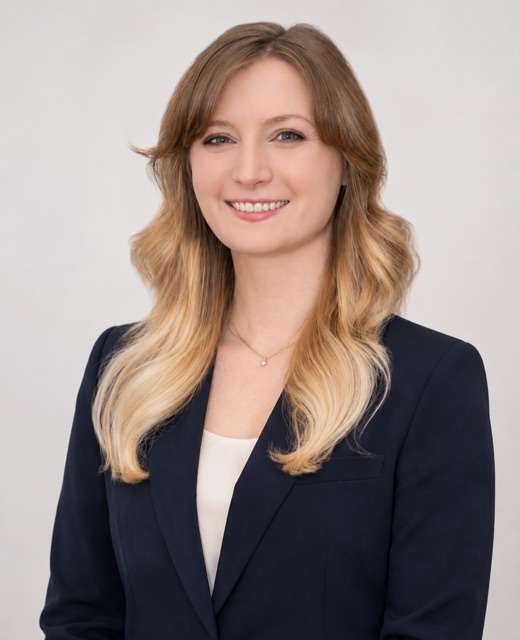
Jessica Whitters, co-founder and clinical lead, is a practicing Board Certified Behavior Analyst who has worked with children and families in clinics, schools and homes.
“I’ve seen that the children who make the most progress are the ones whose learning goals are practiced at home. That’s why we created ReadySteps. It’s a way to keep practice going, even on busy days.”
ReadySteps supports practice at home and is not a substitute for assessment, individualized treatment, or ongoing care from a BCBA.
Your parent app
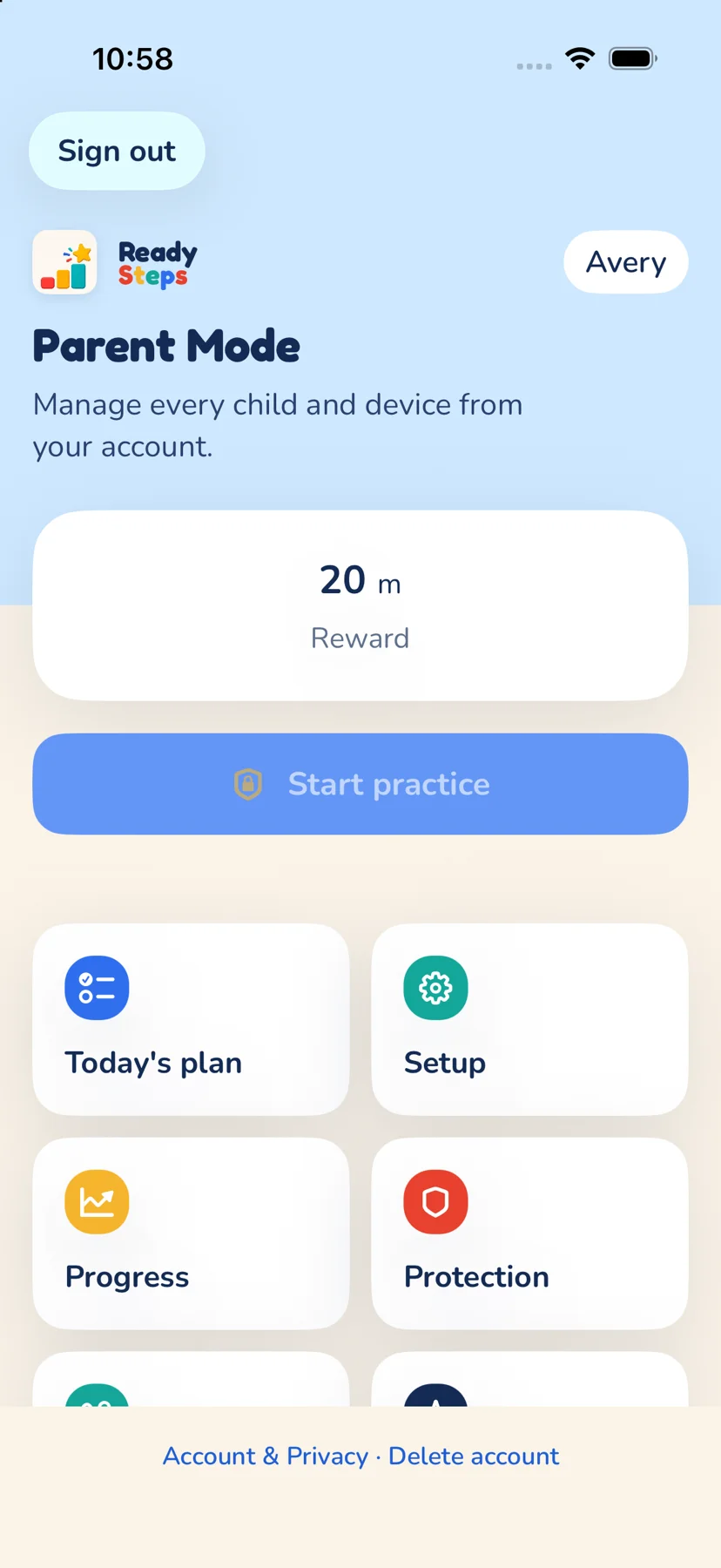
Parent Mode in ReadySteps runs on your own device, with no separate download. Pick learning targets, teaching supports, and rewards in a short setup, then follow results without an ABA clinic connection.
Fictional progress preview. Parent progress reporting on the web is in development.
Optional ABA clinic connection
Use ReadySteps as a family on your own. If you choose to connect with an Applied Behavior Analysis (ABA) clinic, your clinic will be able to provide agreed-upon activities for you to try at home, with instructions in Parent Mode on your own device. Each child’s connection requires your consent and clinic approval. Learn more for clinics.
Prefer email? hello@readysteps.org
Explore the clinic viewFictional preview of target accuracy trends, practice volume, and seven-day skill comparisons. The clinic dashboard shows the child’s progress.
While you wait
If your child is waiting for ABA therapy to begin, ReadySteps gives them guided learning practice at home in the meantime.
No ABA clinic enrollment or referral is needed. Set up practice yourself in Parent Mode.
Independent and prompted answers are saved, so you can see how practice is going.
Once services start, you can connect your child with your ABA clinic. It stays optional.
A few things to know
ReadySteps is being built for young children on the autism spectrum to practice learning skills at home with their parents or caregivers. It can also benefit children with developmental delays, young learners, and preschool children. No ABA clinic involvement is required.
Every activity is created and reviewed by practicing BCBAs. The curriculum includes foundations for finding pictures in a group; identifying features, functions, and classes; labeling pictures; matching and sorting; answering who, what, and where questions; and basic reading, writing, and math skills.
No. ReadySteps supports learning practice at home. It is not a substitute for assessment, individualized treatment, or ongoing care from a Board Certified Behavior Analyst (BCBA) or another qualified professional.
In the app, children work through short learning activities to fill a token board and earn parent-configured screen time. Device controls require parent setup and device permissions. Available controls depend on the device and operating system.
Parents and caregivers choose learning targets, practice and reward settings, and which apps and websites remain available during learning. Connecting their account with an ABA clinic is optional.
ReadySteps is in active development, and you can try the sample activity today. Join the waitlist for updates about access as it becomes available.
For families who choose an ABA clinic connection, clinics will be able to share agreed-upon activities and instructions with parents through Parent Mode. Explore the fictional clinic view and learn about clinic setup and booking a walkthrough. The clinician dashboard includes target accuracy trends, practice volume, and seven-day comparisons. The clinic dashboard shows the child’s progress.
A family chooses whether to connect their child with a clinic. Each connection requires caregiver consent and clinic approval for that child. Results are linked to the assigned activity and its content version. The clinician dashboard’s learning progress report shows daily accuracy trends, practice volume, and seven-day comparisons for the connected child. Explore these with fictional data in the clinic view.
Get notified about ReadySteps access as it becomes available for your family or ABA clinic.
Ask a general product, access, or technical question about ReadySteps.